Public compliance URLs
- Privacy Policy: /privacy
- SMS Terms & Conditions: /sms-terms
- Public SMS opt-in form (Call to Action URL): /help/sms-opt-in
Campaign setup
- Brand Name: Clean Scheduler
- Campaign Type: Low Volume Mixed (Transactional)
- Audience: Homeowners (customers) and cleaning service providers
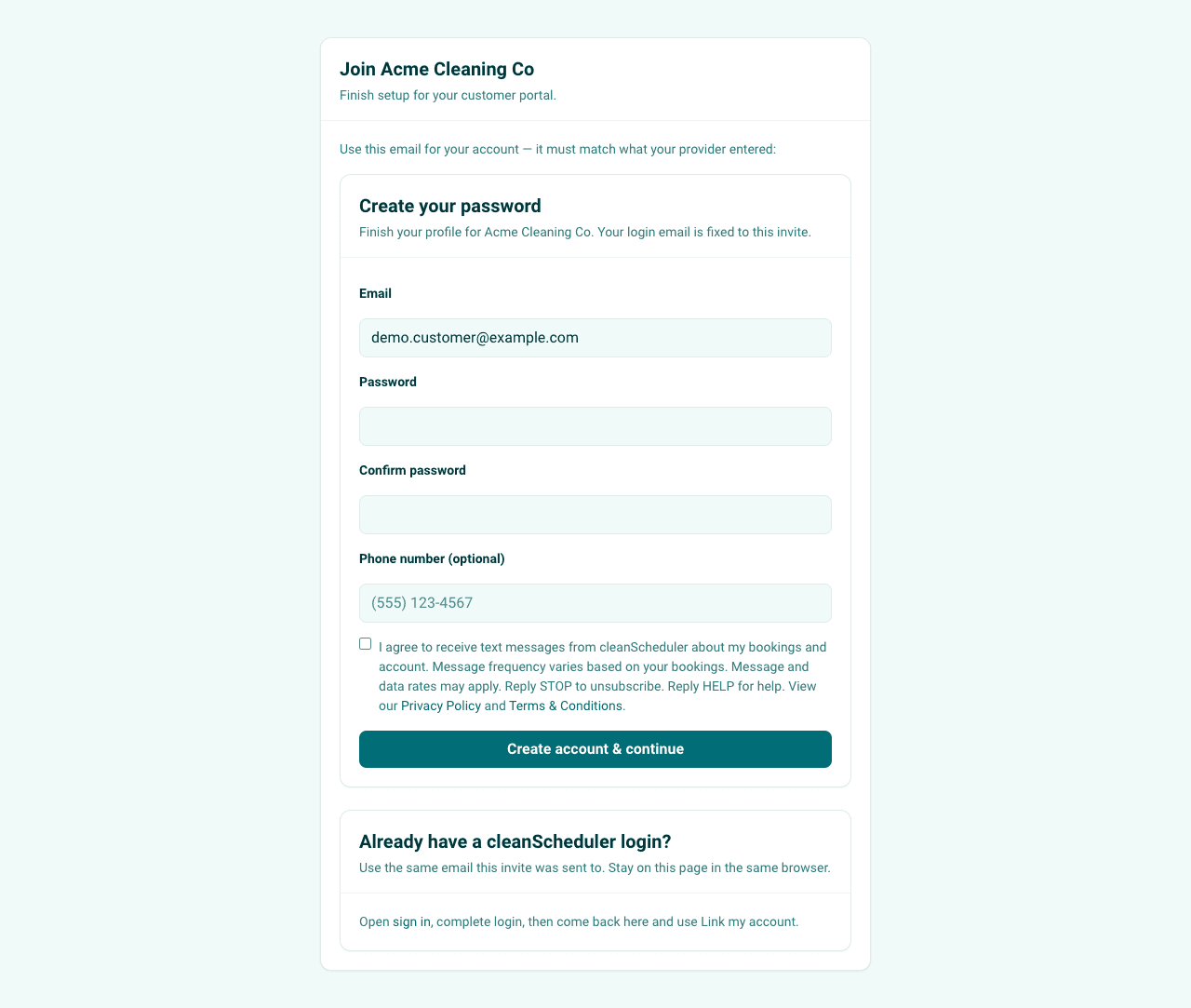
- Opt-in method: Optional SMS checkbox during customer account signup (see /help/sms-opt-in)
SMS consent disclosure used at opt-in
You are opting in to receive booking and account notification text messages from Clean Scheduler. Message and data rates may apply. Message frequency varies based on your bookings. Reply HELP for help. Reply STOP to opt out. No mobile information will be sold or shared with third parties for promotional or marketing purposes.
Customer opt-in flow proof
- Opt-in is collected during customer account signup from invite completion (
/complete-inviteon the customer portal) or referral join signup. A public preview for reviewers lives at /help/sms-opt-in. - Consent uses an explicit unchecked checkbox with clear disclosure language, including STOP and HELP instructions, rate notice, and links to Privacy Policy and SMS Terms.
- SMS opt-in is entirely optional. If a customer elects to opt in, a phone number is required to complete that selection.
- Consent is stored to profile fields for auditability:
sms_transactional_opt_inandsms_transactional_opt_in_at.
Required keyword auto-responses
Configured responses for mandatory TCR keywords:
- STOP: Clean Scheduler: You have been unsubscribed and will receive no further messages.
- HELP: Clean Scheduler: For support, visit cleanscheduler.com/help or email support@cleanscheduler.com.
- START: Clean Scheduler: You're subscribed to booking and account notifications. Msg&data rates may apply. Reply STOP to opt out, HELP for help.
TCR campaign description
"Clean Scheduler sends transactional SMS notifications to homeowners and cleaning service providers who have opted in at account signup or through the user's account settings. Messages include cleaning quote delivery, booking confirmations, job decline notifications, appointment reminders, and invoice payment reminders. No promotional content is included."
Message templates
Variables in brackets are populated dynamically at send time. Brand prefix and opt-out language remain fixed for review consistency.
Clean Scheduler Admin Level SMS
- Quote Accepted (to Tenant)
Clean Scheduler: Hi [FirstName], a new quote has been accepted by [CustomerName]. View details: [tenantSlug].cleanscheduler.com/quotes/[QuoteID] Reply STOP to opt out.
- Quote Declined (to Tenant)
Clean Scheduler: Hi [FirstName], the quote for [CustomerName] at [Address] was not accepted by the customer. Check your dashboard: [tenantSlug].cleanscheduler.com/quotes Reply STOP to opt out.
- Subscription Past Due (to Tenant)
Clean Scheduler: Hi [FirstName], your subscription to Clean Scheduler is past due. Pay now: [tenantSlug].cleanscheduler.com/dashboard. Reply STOP to opt out.
- Reschedule Request (to Tenant)
Clean Scheduler: Hi [FirstName], a new reschedule request has been submitted by [CustomerName]. Login to: [tenantSlug].cleanscheduler.com/schedule/reschedule-requests to review. Reply STOP to opt out.
Tenant (Cleaning Business) Level SMS
- Quote Sent (to Customer)
[BusinessName]: Hi [FirstName], your cleaning quote for [ServiceDate] is ready. Est. $[Amount] for [ServiceType]. View details: my.cleanscheduler.com/quotes/[QuoteID] Reply STOP to opt out.
- Quote Accepted (to Customer)
[BusinessName]: Great news, [FirstName]! We have received your approved quote & will work to schedule your first cleaning! Reply STOP to opt out.
- Quote Declined (to Customer)
[BusinessName]: Hi [FirstName], your cleaning quote for [ServiceDate] has been declined. Request a new quote anytime: my.cleanscheduler.com/quotes Reply STOP to opt out.
- Cleaning Visit Reminder (to Customer)
[BusinessName]: Reminder, [FirstName] - your cleaning is tomorrow, [ServiceDate] at [Time]. Questions? Reply or visit my.cleanscheduler.com/bookings/[BookingID] Reply STOP to opt out.
- Invoice Overdue (to Customer)
[BusinessName]: Hi [FirstName], invoice #[InvoiceID] for $[Amount] is past due. Pay now: my.cleanscheduler.com/pay/[InvoiceID] Reply STOP to opt out. (120 characters)
- Reschedule Request Received (to Customer)
[BusinessName]: Hi [FirstName], a new rescheduler request has been received. We will review this and get back to you as soon as possible. Reply STOP to opt out.
- Reschedule Request Approved (to Customer)
[BusinessName]: Hi [FirstName], your reschedule request has been approved. Your new cleaning will be on [ServiceDate] at [Time]. Reply STOP to opt out.
- Reschedule Request Declined (to Customer)
[BusinessName]: Hi [FirstName], your reschedule request has been declined. Please contact the office at [TenantOfficePhone] to discuss an alternative date & time. Reply STOP to opt out.
Evidence screenshots
These screenshots are captured from live public routes and stored at /public/help/tcr.
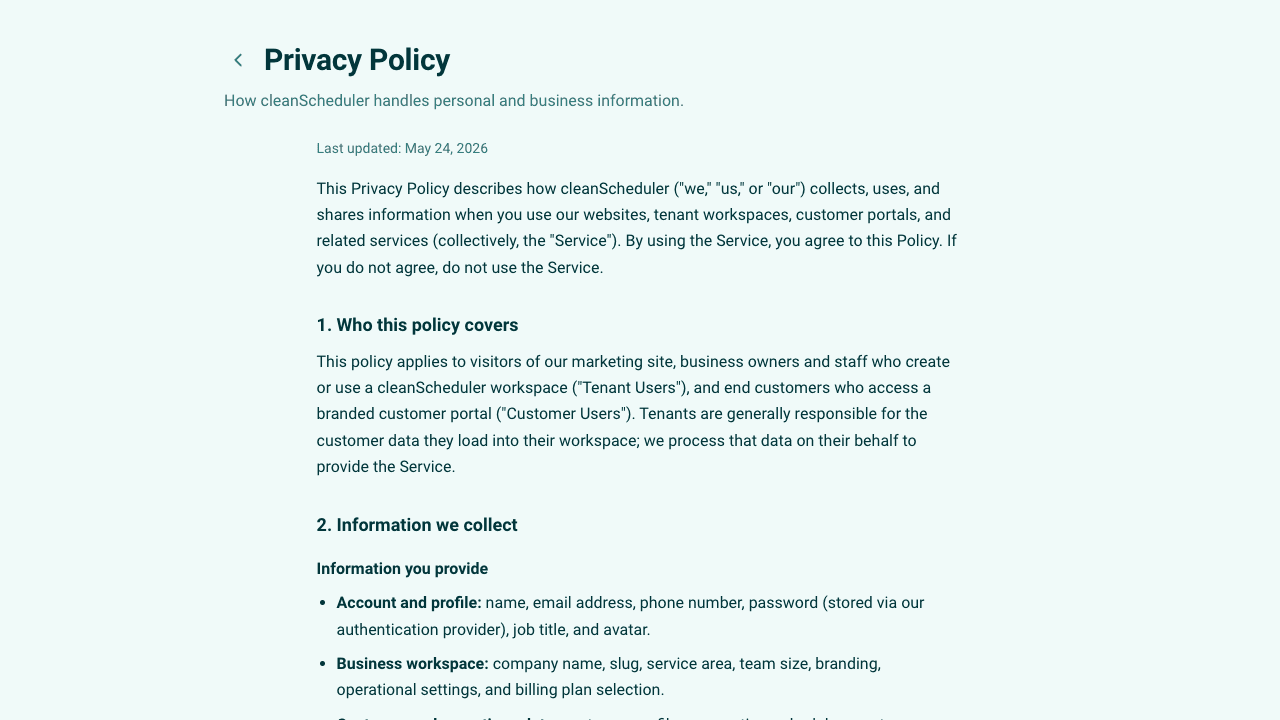
/privacy).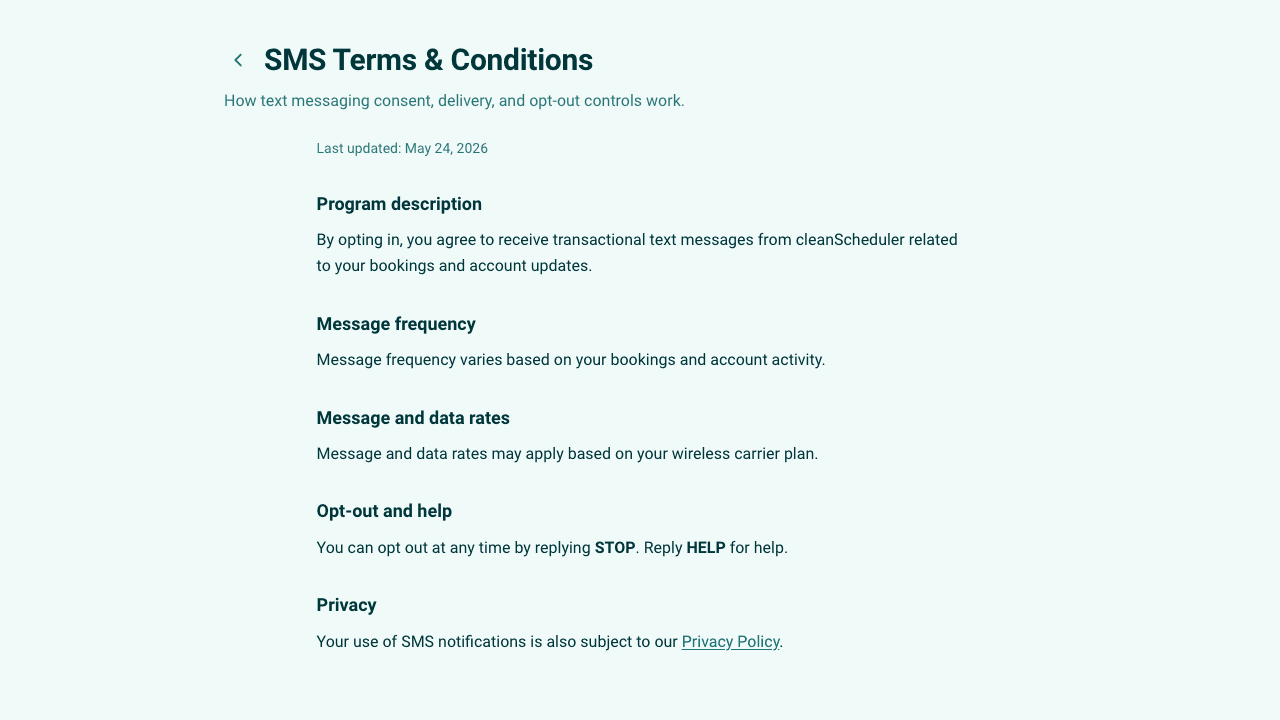
/sms-terms).